Performance Cardio

VIKON Bike PRO

Power training. On your screen.

An integrated TFT display, power up to 800 W and 99% power measurement accuracy. Self-powered cycling for focused individual sessions and coached training.

With TFT display

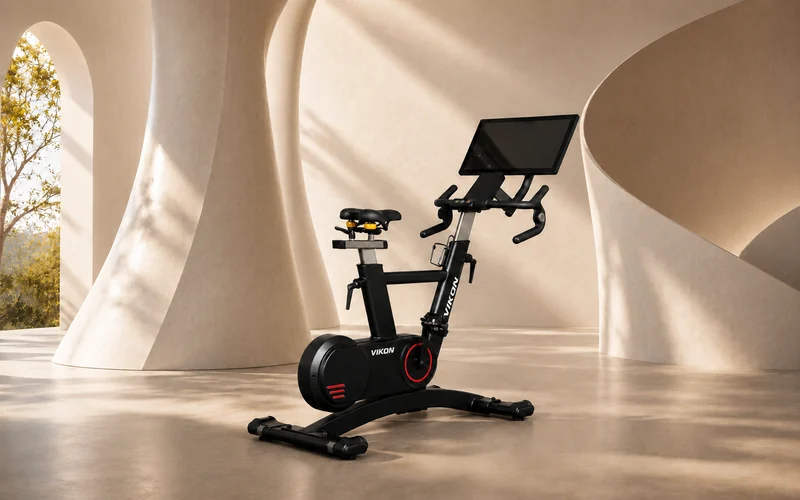
VIKON Bike PRO in a light architectural interior
Up to 800 WPower range
99%Power measurement accuracy
20 / 60 minFTP testing
The ride

A smooth, road-inspired ride

Bring the rhythm of road cycling indoors. A smooth pedal action and controlled changes in workload help you settle into a steady ride, then move into your next interval. Adjust your position, choose your grip and ride your way.

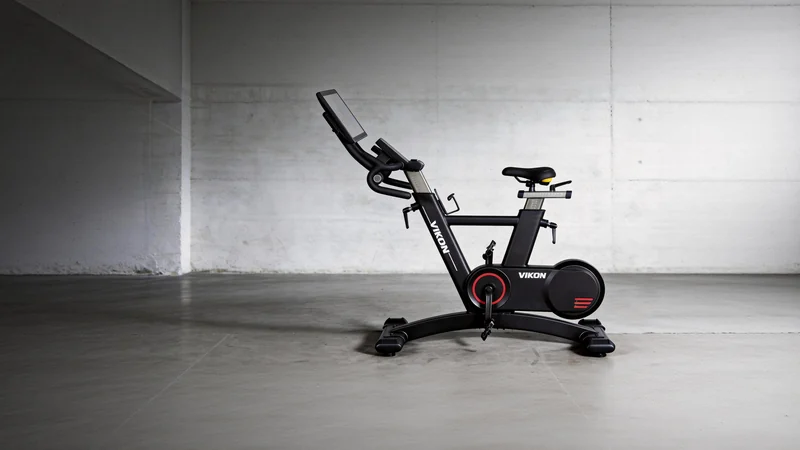
Side view of the VIKON Bike PRO with adjustable saddle and handlebar columns
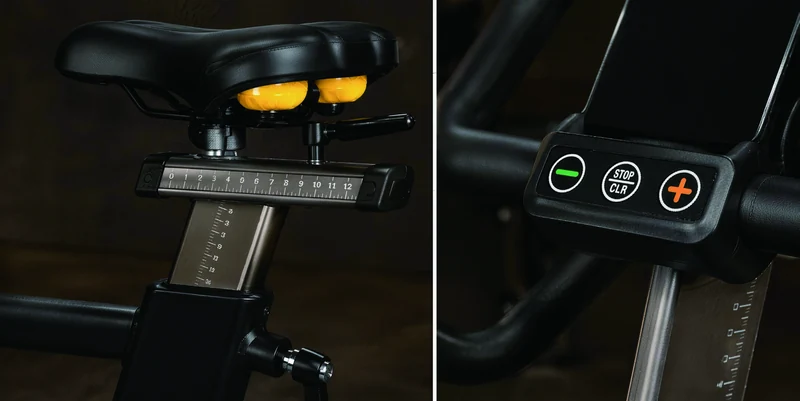
VIKON Bike saddle adjustment and handlebar control details

Adjust your riding position

Move the saddle forwards or backwards and adjust its height. Set the handlebars and choose a comfortable grip. Record your settings for easier setup in a shared studio and use the same position when repeating an FTP test.

ERG training

Set the watts. Let resistance adjust.

With a fixed resistance setting, changes in cadence usually change the power you produce. ERG mode uses a target power and adjusts resistance to help maintain that workload.

Cadence60 RPM

Higher resistance per stroke

Target power150 W

The same target power

Cadence100 RPM

Lower resistance per stroke

Illustrative example, not a test result or a statement of the bike’s operating range. ERG works within supported power and cadence limits and has a response time.

Closed-loop control

Torque and cadence information feed the control system. Resistance adjusts towards the selected power target as your pedalling changes.

Electromagnetic resistance

Electronic resistance adjustment supports controlled changes in workload during a session, from a steady effort to the next interval.

Repeatable training

A clear power target makes endurance sessions and intervals easier to plan and repeat. Coaches can set different targets for different riders while keeping the same work and recovery structure.

ERG constant-power training

Choose your target in watts. As cadence changes, ERG adjusts resistance to help maintain that workload: faster pedalling needs less resistance per stroke; slower pedalling needs more, within the supported operating range.

Illustration: a 150 W target stays the same while cadence changes. This explains the principle; it is not a live equipment reading or a training prescription.

Target power150 W
Ergometer

Control the workload.

Set your target in watts and choose your cadence. The integrated ergometer measures mechanical power, and ERG adjusts resistance towards that target using torque and cadence feedback. No heart-rate reading is required. Heart-rate data does not control the bike’s resistance.

VIKON Bike PRO provides 99% power measurement accuracy and power up to 800 W. The higher ceiling provides more headroom for demanding sessions, while accurate feedback helps riders and coaches assess the work produced.

Power / W

The mechanical power you produce. Use it to follow the planned workload and review how consistently you held an effort.

Cadence / RPM

How quickly you pedal. Read cadence alongside power when following a steady session or moving through intervals.

FTP

FTP: a reference for your training

Functional Threshold Power (FTP) is a practical indicator of cycling endurance fitness. Measured in watts, it estimates the power you can sustain during a prolonged hard effort and provides a starting point for personal training targets.

The same wattage can represent very different efforts for two riders. FTP helps you set training zones and targets around your own current ability, rather than following someone else’s numbers.

20 min60 min
  1. 01

    Find your starting point

    Choose the 20- or 60-minute FTP test. Record the result and your bike setup as a baseline.

  2. 02

    Train to your targets

    Use your FTP to guide individual workloads. Combine consistent training with appropriate recovery.

  3. 03

    Review your progress

    Repeat the same protocol under comparable conditions. A higher result can show improved sustainable power; progress varies.

Consistent, well-planned training and recovery can help improve FTP. A higher result under comparable conditions indicates greater sustainable cycling power. Progress varies between riders and is not always linear.

FTP challenges and rankings

Absolute power

Compare the FTP result in watts. A higher value means greater sustained absolute power under the chosen test protocol.

Power relative to body mass

Divide FTP in watts by body mass in kilograms. W/kg provides a different comparison that accounts for rider size.

FTP in watts ÷ body mass in kg = W/kg

Agree the test method and scoring rules before an event. Use the same protocol, checked equipment and consistent bike settings. Record body mass consistently for W/kg rankings. FTP measures one aspect of cycling fitness, not every ability or every race result.

Understanding your training intensity

Power describes the external workload. Heart rate, if measured separately with a compatible device, and perceived effort help you understand your response. They are monitoring tools, not inputs to the bike’s resistance control.

Train at the intended intensity

A personal heart-rate range, perceived effort and the talk test can help you judge whether a session matches its planned intensity.

Notice changes in effort

If the same wattage starts to feel harder, review the session with your coach and adjust your chosen target as appropriate. Read any heart-rate data alongside how you feel.

Give endurance work a clear structure

A defined watt target and duration provide a consistent basis for steady endurance work. Monitoring your response adds context to that workload.

Constant power does not mean constant heart rate. Heart rate can rise during prolonged exercise, especially with heat or dehydration. ERG controls power, not heart rate.

Classes & events

Group cycling, without the cables

Run instructor-led classes on self-powered, wirelessly connected bikes. Arrange stations around your coach and your room without mains power or communication cables to every bike.

VIKON Bike PRO in a dark training studio

Self-powered stations

Every bike generates its own power. Each riding station can operate without a mains connection, giving you more freedom to arrange the room.

Wireless connections

Class bikes connect wirelessly, without communication cables running between riding stations.

Instructor-led sessions

Run scheduled cycling classes and bring power-based training into a shared session. Riders can follow common work and recovery timing at individual targets.

Optional instructor control

With the optional instructor-control system, one instructor bike can control the connected bikes in the class. We will confirm the required configuration for your studio.

Classes & events

A common platform for competition

Bring riders together for club events, gym challenges and organised cycling sessions. A common bike platform, matched and checked equipment, and clear scoring rules support meaningful comparisons of effort.

Build club events, gym challenges, school competitions or FTP-based rankings around a common equipment platform. A shared challenge gives training a focus and lets riders put their progress into practice alongside others.

  1. 01

    Choose the format

    Match the challenge to the participants.

  2. 02

    Agree the rules

    Confirm bike settings and the scoring method.

  3. 03

    Run the event

    Bring riders together for a shared challenge.

  4. 04

    Review the results

    Recognise effort and plan the next event.

This is an event-planning workflow, not a software interface. Fair comparison depends on matched, checked equipment, consistent setup and clear rules. ERG training targets and race scoring serve different purposes.

Connected race-system development preview. Available formats, bike compatibility and installation requirements are confirmed for each project. Instructor control and the race system are separate options.

The current software reads rider data; it does not control Bike resistance or ERG settings. Virtual climbing is a software event format. Compatibility and on-site, multi-station validation are part of each project discussion.

Contact
Connectivity

Connect to the way you train

Use Bluetooth to connect a compatible device and train with apps including Zwift, ROUVY, Kinomap and FitShow. Choose from their workouts, routes and ride experiences.

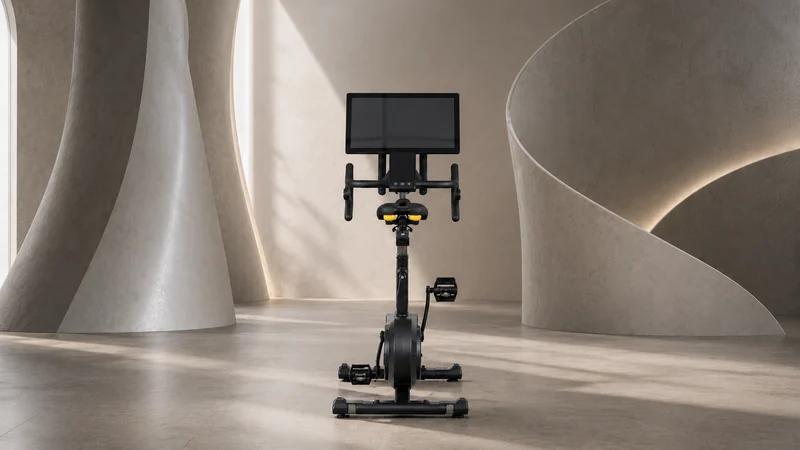
Rear view of the VIKON Bike PRO showing the saddle, handlebars and screen alignment

An integrated TFT display

The PRO model keeps workout information on a dedicated display directly in front of the rider. It combines the higher power range and measurement accuracy with a screen on the bike, making it suited to focused individual sessions and coached testing.

Wireless phone charging

Place a compatible smartphone on the bike’s wireless charging area. Keep it charged while you train, without a charging cable running to the phone.

Bluetooth connection

Pair the bike with a compatible phone, tablet or computer. Use supported cycling apps on your own device and choose the routes, workouts and ride experiences that suit your training.

  1. 01

    Download

    Install your chosen app on a compatible device.

  2. 02

    Pair

    Follow the app’s equipment-pairing instructions.

  3. 03

    Ride

    Select a supported workout, route or ride. Ask VIKON about the right setup for your preferred app.

Compatibility, available data and resistance control vary by app, device and software version. Accounts or subscriptions may be required. Wireless charging needs a compatible phone. App support does not mean the apps run directly on the PRO TFT screen. Third-party names and logos identify the apps; no endorsement is implied.

A place in everyday training.

Gym floors

Give members a defined cardio session and provide coaches with a useful starting point for power-based programming, from warm-ups to steady efforts and intervals.

Group cycling studios

Run instructor-led classes on self-powered, wirelessly connected bikes, with optional control of the class from one instructor bike.

Cycling training centres

Use FTP testing, repeatable watt targets and riding-position adjustment to structure endurance and performance training within an appropriate plan.

Explore facility applications

Specifications

VIKON Bike PRO
ModelVIKON Bike PRO
DisplayWith TFT display
Power rangeUp to 800 W
Power measurement accuracy99%
Power supplySelf-powered
Wireless chargingIncluded for compatible devices
Resistance controlProfessional ERG mode
ErgometerBuilt in
FTP testing20 and 60 minutes
ConnectivityBluetooth
Set up your riding positionSaddle height and fore–aft adjustment
App compatibilityZwift · ROUVY · Kinomap · FitShow

Functions, data and resistance control vary by app, device and software version. Accounts or subscriptions may be required. App support does not mean the apps run directly on the PRO TFT screen.

Choose your bike.

ModelVIKON BikeVIKON Bike PRO
DisplayWithout TFT displayWith TFT display
Power range50–500 WUp to 800 W
Power measurement accuracyAbove 95%99%
Both models

Self-powered · Professional ERG mode · Ergometer: Built in · FTP testing: 20 and 60 minutes · Bluetooth · Wireless charging

VIKON Bike
Training background

These resources explain exercise intensity, cardiovascular drift, FTP and power-to-weight. They are not studies of VIKON Bike or a guarantee of exercise safety. Available training data and sensor requirements depend on the selected configuration.

Experience the ride.

Arrange a demonstration, discuss your training space or ask us about the right bike and configuration for your riders.

Catalogues and product information

Download the VIKON catalogue for product details, training features and applications. No form or sign-in is required.

English PDF · 24 pages · 2.6 MB

Product availability and configurations are confirmed individually.

Download catalogue
ContactRequest a callback